Skip to main content
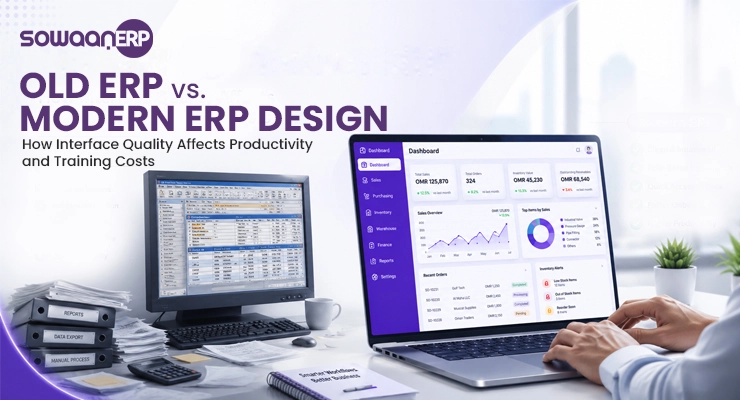
Most ERP systems do not become successful once the contract is signed but when the people who are going to use the system do. In Oman and the rest of the GCC, businesses are expanding their operations to many branches and increasing their focus on compliance with VAT and e-invoicing, and the user experience of the software can make or break the real ROI that the project brings to the business.
According to Stats, the world ERP software market is still growing and enterprises are now more focused on user adoption and usability to ensure successful implementation.
What Does ERP Design Actually Mean?
ERP design is a process that involves deliberate design of ERP system’s appearance, behavior, and functioning of those who use it every day. It includes interface design, information architecture, role-based workflows, dashboards, mobile access and the little things that make work fast or frustrating autofill, filters, confirmations etc.
In reality, it’s the difference between an interface that makes it easy for your finance team to work in Muscat, versus your warehouse staff working in Salalah.
Why ERP Design Determines Adoption, Not Just Aesthetics
49% of businesses see measurable process improvements after implementing ERP , only when people use it.
Poor UX is one of the top three challenges of ERP projects that do not get the expected ROI, according to data from several post-implementation studies, alongside weak change management and poor data migration planning.
In other words, ERP design is not a final product that’s just added to the software , it is the software. It’ll be the place your accountants, warehouse teams, sales reps and operations managers live for the next 10 years.
6 Signs of Well-Designed ERP Software
An ERP UI Design can be easily identified after just a few minutes of logging in. Six signals are always there that distinguish the systems that get adopted from those that get abandoned.
1. Role-Based Dashboards for Every Department
Opening the ERP as a CFO should take less than 30 seconds. See cash position, receivables, and P&L. Inbound shipments, low-stock alerts and pick lists should be visible to a warehouse manager. The daily sales vs. target of a retail branch supervisor should be viewed through a purpose-built retail ERP solution. Good ERP software doesn’t require all users to display the same view, it shows KPIs, Alerts, and Actions that are relevant to each user’s role.
2. Mobile & Field Access for Multi-Branch Teams
Small businesses in Oman are not that common. Real-time access is required on construction sites, retail counters, distribution fleets, healthcare facilities, and even on healthcare ERP solution. An effective ERP has built-in mobile apps that are offline tolerant, barcode/QR capture, and field ready forms that work seamlessly with your inventory management system so that the phone is not just a backup solution, but an active one.
3. Clear Data Visualization Over Raw Numbers
Tables are not designed. A good ERP transforms data from raw ledgers, stock counting and sales records into charts, sparklines, trend indicators and colour coded exceptions. If a manager can see a problem in 5 seconds the system is working.
4. Simple Navigation & Minimal Learning Curve
No matter how much your staff needs to be trained to find a sales order, if that takes two weeks, it is already a failure in the design. There are some consistent and predictable ERP UX design elements: global search, a constant main menu, breadcrumbs and back buttons that don’t just return to the previous page. The interface ought to be familiar to all those who have used modern consumer applications.
5. Fast Search, Filters & Autofill for Daily Tasks
Approximately 30 % of the time ERP users spend is dedicated to search look-ups. With a well-designed system, all these features are rolled into a global search across modules, saved filters, autofill on forms, batch actions, and keyboard shortcuts. These seconds per task turn into hours of saved time when month-end is approaching for a finance team and for logistics teams with ERP software for distribution businesses, a faster-lookup also means shorter dispatch cycles.
6. Compliance-Ready Screens (VAT, E-Invoicing)
A special issue for Oman and the GCC. The interface should be user-friendly to ensure compliance, including VAT rate fields with helpful defaults, tax-inclusive/exclusive switches, and e-invoicing capture features with QR/UPL alignment, all from the same data that your team input. A compliance-ready screen eliminates the hassle of manual reconciliation.
Common ERP Design Mistakes That Cause Failed Rollouts
Best ERP projects can still fail at the design stage. Before they get costly, look out for these patterns.
1. Ignoring the End-User in Favor of Leadership Needs
One of the more common mistakes is having a C-suite approve a feature list; then providing end-users with an interface designed for the C-suite. The primary design audience should be accountants, warehouse personnel and sales representatives.
2. Feature Overload & Cluttered Interfaces
Vendors will show all the modules, buyers will show only the workflows they will be using. The more features your interface has, the more users ignore them because they’re not used enough.
3. Poor Data Migration & Integration Planning
Design doesn’t just end at the screen. If data is added as an afterthought, it forces the user to have an empty clean system or broken historical data. Migration staging screens, validation reports and integration health monitors are some examples of good ERP interface design.
Avoid costly redesigns. Our experts can help you evaluate your implementation strategy before you invest.
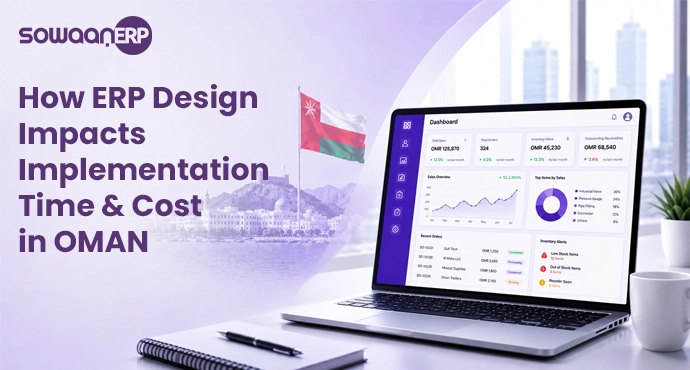
How ERP Design Impacts Implementation Time & Cost in Oman
According to industry estimates, ERP implementation costs range from 1 to 3 percent of annual revenue for midsize companies, about 30 percent of that cost is rework resulting from usability issues that are identified after go-live.
But that rework comes with an added cost in Oman where the introduction of VAT and e-invoicing adds another layer of design complexity, which can be even more costly. Cloud ERP design interfaces that are well designed can help to cut down on training time, help to minimize support tickets, and prevent the loss of productivity after a poorly designed ERP rollout. When it comes to better design, it’s not just the nicer feeling, it’s the reduced total cost of ownership.
What to Look For When Evaluating ERP Design (Buyer Checklist)
If you are considering manufacturing ERP software or real estate software rollouts in the region, be sure to review this buyer’s checklist before signing an ERP contract.
- Try before you demo, Ask for a sandbox account with sample data, not a sales-led walkthrough
- Map your top 5 daily workflows and time the vendor doing them in their system
- Test on mobile real field access, not just a responsive web view
- Check role-based dashboards for finance, warehouse, sales, and operations
- Inspect VAT and e-invoicing screens end-to-end
- Validate data migration tools , importers, validators, rollback plans
- Review accessibility , font size, contrast, Arabic/English language switching
- Ask for adoption metrics from existing Omani or GCC customers
Let our experts walk you through a live evaluation using the same buyer checklist.
AI & Personalization: Where ERP Design Is Headed in 2026
The next wave of ERP UI/UX design is personalization driven by AI. Modern systems are not only role based, but they also learn what each user is looking for and present it to them even before they ask. The top of a warehouse manager’s dashboard is always pinned with the pick-list, which is the first thing they check in the morning. The finance controller receives an exception summary of receivables on Friday morning.
AI-personalized ERP design equates to reduced training, quicker decisions and interfaces that evolve with the business for Omani businesses that manage multiple roles and branches.
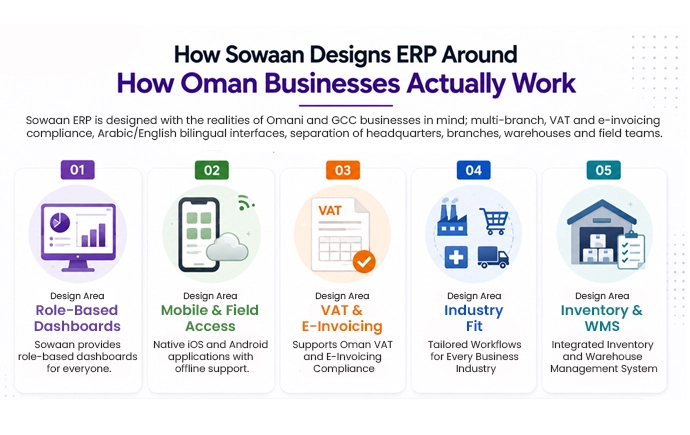
How Sowaan Designs ERP Around How Oman Businesses Actually Work
Sowaan ERP is designed with the realities of Omani and GCC businesses in mind; multi-branch, VAT and e-invoicing compliance, Arabic/English bilingual interfaces, separation of headquarters, branches, warehouses and field teams.
- Design Area: Role-Based Dashboards
Sowaan provides configurable dashboards tailored to different users, departments, and branches. - Design Area: Mobile & Field Access
Native iOS and Android applications with offline access for teams working in the field. - Design Area: VAT & E-Invoicing
Built-in screens designed to support Oman VAT and e-invoicing compliance. - Design Area: Industry Fit
Tailored workflows for manufacturing, retail, healthcare, distribution and accounting ERP software. - Design Area: Inventory & WMS
Seamless integration with the inventory management system and warehouse management operations.
Conclusion & Next Step
The best predictor of effective ERP use is good ERP design , or that your team will go back to spreadsheets. The most effective design for growing Oman and GCC companies is one that involves fewer training hours, smooth compliance with VAT and e-invoicing, and one that can grow with each new branch.
FAQs
1. What makes ERP design “good” for a growing Oman business?
ERP design involves interface design, role-based workflows, dashboards, mobile access, navigation, search, and the little interactions that make up day-to-day business. It is not decoration, it’s utilising design.
2. Why do employees resist new ERP systems, and how does design fix it?
The primary challenges pertain to low usability, making use of an ambiguous interface, unnecessary functionalities, sluggish search time, absence of mobile access, and steep learning curve. Good design is achieved by eradicating friction.
3. What should buyers look for in ERP design when comparing vendors?
Please indicate that you require a sandbox with test data, role based dashboard demo, mobile application testing, VAT/e-invoicing training and references from Oman and GCC based clients.
4. How does interface design affect implementation success and training time?
Easy-to-use interfaces shortens training time, lowers the number of support requests, and prevents operational inefficiencies typically caused by a badly executed deployment, often yielding up to 20-30% savings on post-launch costs.
5. How are AI-personalized, role-based dashboards changing ERP design?
AI learns user patterns and presents relevant KPIs, alerts and actions to the user before they search , minimizing clicks, training time, and decision latency.